In a world where music is a vital part of our daily lives, connecting your phone to any speaker quickly and easily can transform your listening experience. With an Android aux cord, you can effortlessly bridge the gap between your device and a speaker, making it an essential tool for parties, workouts, or simply enjoying your favorite tunes out loud.
Imagine heading to a friend’s house with your playlist ready, only to realize you need a complicated setup to share great music. Instead, the simplicity of an aux cord offers instant connectivity, allowing you to play your favorite songs without the hassle of Bluetooth pairing or app downloads.
Whether you’re a tech novice or an experienced user, this guide will help you understand how to effectively use an Android aux cord to enhance your audio experience. Get ready to dive in and discover the joy of seamless connectivity that puts the power of music in your hands!
Android Aux Cord Basics: What You Need to Know
Connecting your Android device to an auxiliary (aux) cord can open up a world of easy audio streaming, whether you want to enjoy music on your car’s sound system or blast tunes through your home speaker. Aux cords are reliable and universal, providing a straightforward way to deliver sound without the complications of Bluetooth connections. Understanding the basics can streamline your audio experience, making it quick and enjoyable.
An aux cord is typically a 3.5mm jack that plugs into your phone and any compatible speaker or headphone. This analog connection means that you get to enjoy high-quality sound without worrying about battery life or wireless interference. It’s essential to check the aux input on your device and speakers, as they come in various forms, including standard 3.5mm jacks, TRRS (Tip-Ring-Ring-Sleeve) for microphone input, and even adaptors for specialized setups. Keep in mind that while using an aux cord is simple, it does have some limitations compared to modern streaming technologies.
When using an aux cord, make sure your device and the output source are ready to go. Plug one end into your Android smartphone and the other into the speaker. Once connected, adjust the volume settings on both devices, and you’re all set to enjoy your favorite sounds. It’s a seamless process that allows you to listen to your playlists, podcasts, or even social media sounds with minimal effort. If you encounter any issues, which can occasionally happen due to loose plugs or poor connection, a bit of troubleshooting goes a long way, ensuring you get back to enjoying your audio swiftly.
Overall, integrating an aux cord into your audio routine is about simplicity and convenience. It can be your go-to choice for spontaneous listening sessions anytime and anywhere. Plus, this method remains widely compatible, with most devices still supporting aux connections, making it a reliable option in a tech landscape that varies widely. Whether you’re in the car, at a friend’s house, or just relaxing at home, having an aux cord handy guarantees you’ll have a reliable way to share your favorite tunes.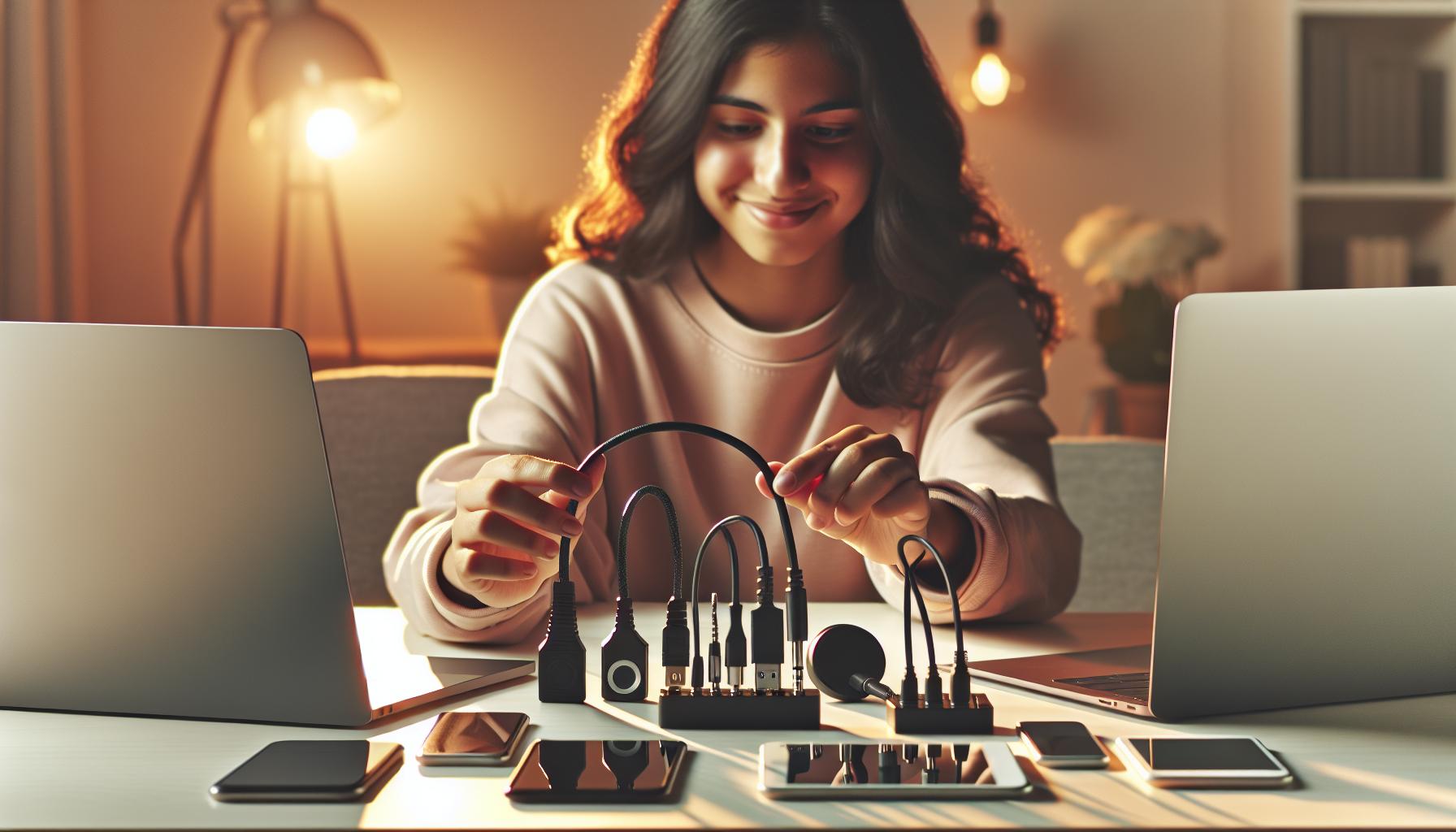
Choosing the Right Aux Cord for Your Needs
When selecting the perfect aux cord for connecting your Android device to speakers, consider various factors to ensure a great audio experience. Not all aux cords are created equal, and understanding these differences can help you make a more informed decision tailored to your specific needs.
First and foremost, assess the length of the aux cord. If you’ll be using the cord in your car, a shorter cable (3-6 feet) may be sufficient. However, if you need flexibility for home use or situations where your phone and speaker will be further apart, look for a longer cable (10 feet or more). Additionally, think about the build quality of the cord. Opt for cables with reinforced connectors and durable jackets to prevent wear and tear. Look for options that are braided or made with high-quality materials to extend their lifespan.
Connector Types
Different aux cords come with various connector types, which is crucial for compatibility with your devices. Here are the most common ones:
- Standard 3.5mm jack: Most commonly used for audio connections.
- TRRS connectors: These have an extra ring for carrying microphone signals, which is ideal if you plan to take phone calls through your audio system.
- Adapters: If your Android device doesn’t have a dedicated headphone jack, consider a cord with a USB-C connector or an appropriate adapter for seamless connectivity.
Don’t overlook the flexibility of the cable. A twisted or flat design can minimize tangling, making it easier to store and transport.
Sound Quality Considerations
When it comes to audio quality, more expensive cords often have better shielding to prevent interference, resulting in clearer sound. If you are an audiophile or listen to high-fidelity music, investing in a high-quality aux cord could make a noticeable difference in your listening experience. Reading reviews can also provide insights into the performance of different cables, helping you gauge which options meet your expectations.
By taking the time to consider these factors, you can choose an aux cord that not only suits your current audio setup but also enhances your overall listening experience. Whether it’s for everyday use, travel, or high-quality home audio, the right aux cord can make all the difference in connecting your Android device and getting the most out of your sound system.
Step-by-Step Guide to Connecting Your Phone
Connecting your Android phone to a speaker using an aux cord can transform your listening experience, whether you’re at home, in the car, or at a picnic. It’s a straightforward process that requires just a few steps to ensure optimal sound quality and convenience. Let’s walk through how you can make this connection seamlessly.
First, make sure you have the right aux cord. The most common one features a 3.5mm jack, which fits into the headphone jack of your Android device. If your phone lacks a headphone jack, don’t worry-using a USB-C to 3.5mm adapter can help. Begin by locating the port on your phone and the aux input on the speaker; if you’re connecting to a car stereo or portable speaker, find the appropriate aux input socket.
Once you’re ready, plug one end of the aux cord into your phone and the other end into the speaker. As a tip, ensure the connections are secure to avoid audio interruptions. In many cases, your phone will automatically recognize the connection and route the audio signal through the aux cord. If not, you might need to adjust the audio settings on your device. To do this, navigate to your phone’s settings, select ‘Sound,’ and ensure that the output device corresponds to the aux connection.
Finally, adjust the volume both on your phone and the speaker to a comfortable level. Play your favorite music or podcast, and enjoy the enhanced sound quality! Always test the connection with a few different songs to ensure everything is working correctly. This simple guide transforms your audio experience, allowing you to enjoy high-quality sound with minimal effort.
Troubleshooting Common Aux Connection Issues
Connecting your Android device to an aux cord should be a seamless experience, but sometimes things don’t go as planned. Whether you’re experiencing silence when you should be blasting your favorite tunes or intermittent sound, troubleshooting these common issues can save the day. Often, the solution is simpler than you might expect, and knowing where to look can make all the difference.
Check Your Connections
One of the first things to consider is whether the aux cord is securely connected. A loose connection can easily lead to audio issues. Make sure both ends of the cord are fully inserted into the headphone jack of your phone and the speaker or car system. If you’re using an adapter, ensure that it’s also properly attached. Inspect the aux port on both devices for any debris that could be obstructing the connection; a quick cleaning with a dry toothbrush or compressed air can work wonders.
Examine the Aux Cable
Not all aux cords are created equal. If you find that your device connects but the quality is poor or the sound cuts in and out, it might be time to inspect the cord itself. Look for any visible signs of damage, such as frayed ends or kinks. If you have another aux cord available, try swapping it out to see if that resolves the issue. In many cases, a faulty or worn-out cable is the culprit.
Adjust Your Device Settings
Sometimes, the problem lies within your phone’s settings. Ensure that the device recognizes the connection and is set to the correct audio output. Go to your phone’s settings, then navigate to ‘Sound’ and ensure that the audio output is set to the aux connection. Additionally, try restarting your phone, as this can reset the audio routing and resolve connectivity glitches.
Test with Multiple Devices
If you’re still having trouble, consider testing the aux cord with multiple speakers or devices. This can help determine if the issue is with your phone or the speaker itself. By isolating the problem, you’ll be better equipped to find a solution-whether that’s purchasing a new speaker or replacing the aux cord.
By following these troubleshooting steps, you can tackle the most common aux connection issues with confidence and get back to enjoying your music without interruption. Remember, sometimes the simplest adjustments are all it takes to restore great sound.
How to Boost Sound Quality via Aux Connection
The sound quality you experience when connecting your Android device via aux can often depend more on your setup than the equipment itself. By applying a few simple strategies, you can significantly enhance audio performance and enjoy a richer listening experience. Here are some effective techniques to boost sound quality through an aux connection.
One of the easiest ways to improve sound quality is to ensure you’re using a high-quality aux cable. Not all cables are created equal; a poorly made cable can result in interference and loss of audio clarity. When purchasing an aux cord, look for options that are well-shielded and made from durable materials. Brands known for high-quality audio accessories often provide cables that feature gold-plated connectors, which help minimize corrosion and provide a better connection.
Next, consider adjusting the equalizer settings on your Android device. Many music apps come with built-in equalizers that allow you to customize sound frequencies to your preference. Experimenting with these settings can help you find the perfect balance for your specific music genre. For instance, boosting the bass may enhance the experience for hip-hop or electronic music listeners, while reducing mid-range frequencies can provide a crisper sound for rock or classical tunes.
To further improve sound quality, ensure you’re playing high-definition audio files. Compressed audio formats like MP3 can limit the depth and richness of sound. Opting for lossless formats, such as FLAC or ALAC, allows for a more detailed audio experience. Additionally, streaming services often offer different audio quality settings. Subscribing to premium versions of these services typically unlocks enhanced audio quality, letting you enjoy every note in its full glory.
Lastly, proper speaker placement is crucial. Whether you’re using a portable speaker or your car’s sound system, the positioning of the speakers can dramatically affect sound quality. Ensure they’re positioned in a way that minimizes obstructions and maximizes the path of sound waves. If you’re in a car, adjusting the angle of the speaker can help ensure the sound reaches all passengers equally, creating a more immersive listening environment.
By focusing on these key factors, you can elevate the audio quality of your aux connection, creating an enjoyable and rich listening experience no matter where you are.
Top Bluetooth Alternatives to Aux Cords
Streaming music from your Android device to speakers without the clutter of cables has never been easier, thanks to the rise of Bluetooth technology. Beyond the convenience, Bluetooth connections often provide excellent audio quality, giving you the freedom to enjoy your favorite tunes without the hassle of wires. Whether you’re hosting a party, taking a road trip, or simply enjoying music at home, Bluetooth alternatives can enhance your listening experience.
One of the most popular options is Bluetooth speakers. These compact devices can deliver impressive sound quality and often feature long battery lives. Brands like JBL, Bose, and Anker offer models that range from portable and waterproof to powerful home audio systems. When choosing a Bluetooth speaker, consider factors such as battery life, sound quality, and connectivity range. Many also come equipped with features like voice assistants and built-in microphones for hands-free calls.
Bluetooth audio adapters are another great alternative if you already own traditional speakers. By simply plugging one of these adapters into your speaker’s audio input, you can transform any wired speaker system into a wireless setup. This is especially useful for older systems that lack Bluetooth capability, allowing you to enjoy streaming from your device with minimal investment.
When it comes to car audio systems, many modern vehicles are equipped with built-in Bluetooth technology that allows for seamless connection to your Android device. Not only does this facilitate audio streaming, but it also lets you handle calls safely while on the road. If your car doesn’t have this feature, consider a Bluetooth car kit that easily integrates with your vehicle, providing hands-free calling and audio playback.
Advantages of Bluetooth Alternatives
Utilizing Bluetooth technology offers several advantages over traditional aux connections:
- Mobility: Move freely without being tethered by cables.
- Multi-device pairing: Connect multiple devices for shared listening experiences.
- Ease of use: Simple pairing process and automatic connections.
- No degradation of audio quality: Modern Bluetooth codecs like aptX and AAC provide excellent sound fidelity.
As technology continues to advance, exploring Bluetooth alternatives to aux cords opens up new possibilities for enjoying music. Whether you’re looking for a speaker to take on your adventures or wanting to upgrade your home audio experience, there are numerous options available that cater to your specific needs and preferences. Embracing these wireless solutions not only enhances convenience but ensures you can enjoy high-quality sound wherever life takes you.
Best Practices for Using Aux Cords Safely
Using aux cords is a straightforward way to enjoy high-quality sound from your Android device. However, ensuring your connections are made safely, both for you and your equipment, can enhance your listening experience while prolonging the life of your devices. Here are some best practices to consider when using aux cords.
First and foremost, it’s important to handle your aux cords carefully. Always grasp the connector ends-not the cables themselves-when plugging or unplugging the cord from devices. This practice prevents unnecessary strain and breaks that can damage the internal wiring. Additionally, avoid wrapping the cords tightly around devices or in knots, as this can cause kinks and degrade performance over time.
Next, keep aux cords away from areas where they might be exposed to water or excessive heat. Moisture can corrode connectors and damage internal components, while heat can soften the insulation and lead to shorts or failures. When not in use, store your cords in a cool, dry place. If you’re on the go, consider using a cord wrap or pouch to protect the cables from damage in your bag or car.
Regularly inspect your aux cords for any signs of wear and tear. Life like fraying, exposed wires, or bent connectors can signal that it’s time for a replacement. Using damaged cords not only affects sound quality but may also pose safety risks. Investing in high-quality cords from reputable brands can enhance durability and reduce the likelihood of issues.
Finally, if you’re connecting to multiple devices, be mindful of which device is transmitting sound. It’s best to ensure only one device is set to output sound to avoid feedback or distortion. Remember, a little precaution goes a long way in maintaining quality audio performance and ensuring the safety of both your devices and yourself.
Compatibility of Aux Cords with Different Devices
When it comes to enhancing your audio experience, understanding the compatibility of aux cords with various devices is key to ensuring seamless connections and quality sound. The versatility of aux cords lies in their ability to connect a myriad of devices, such as smartphones, tablets, laptops, and various audio equipment, making them an accessible choice for music lovers everywhere. Whether you’re looking to play your favorite playlist through a car stereo, connect to portable speakers, or boost your home audio system, knowing which devices support aux connections can make all the difference.
Most modern Android smartphones come equipped with a 3.5mm audio jack, which is the standard for aux cords. This jack allows for a direct connection to speakers, car stereos, and headphones. However, if your smartphone lacks a headphone jack, don’t fret! Many newer Android devices utilize USB-C to 3.5mm adapters, enabling you to still connect your Android device to any aux-compatible equipment. Here’s a quick overview of device compatibility:
Common Devices and Compatibility
- Smartphones and Tablets: Most Android devices can connect directly via their built-in audio jacks or through adaptors.
- Car Stereos: Most car sound systems feature aux input ports, easily connecting with standard aux cables.
- Speakers: Many portable and home speakers offer aux inputs, allowing for direct connection without needing to rely on Bluetooth.
- Laptops: Most laptops have audio output jacks compatible with aux cords for easy playback.
- Gaming Consoles: Consoles like the PlayStation and Xbox can connect to speakers through aux, enhancing your gaming audio.
For an effective connection, remember to check if the device itself can support audio playback through the aux connection. Some devices may be exclusively Bluetooth-enabled, while others may require specific adaptors. Regardless of the type of device, ensuring compatibility can enhance your listening experience, reduce connectivity issues, and prevent disruptions during your audio sessions. By being informed, you empower yourself to make smart decisions about your audio accessories, ensuring that your music and entertainment reaches the quality you desire.
Innovative Uses for Aux Cords You Didn’t Know
Discovering creative uses for aux cords can greatly enhance your audio experience beyond just connecting your phone to speakers. These versatile cords often go unnoticed, but they can unlock new potentials in everyday scenarios. For instance, if you’re hosting a gathering, you can seamlessly create a karaoke setup by connecting your smartphone to a speaker with an aux cord and using a karaoke app. This simple connection allows everyone to enjoy singing along without needing complicated equipment.
Another innovative application is using an aux cord to connect your phone to your car’s stereo system for superior audio quality during road trips. Instead of relying on Bluetooth, which can sometimes lead to connectivity issues, the direct aux connection offers more reliability and clarity. You can also play podcasts or audiobooks, ensuring an engaging listening experience on the go.
If you’re interested in home automation, aux cords can also be used with older audio systems. By connecting your smartphone, tablet, or even a smart home device that has an aux output feature, you can breathe new life into vintage speakers or systems that may not have modern connectivity options. This not only allows you to enjoy your favorite tunes but also enhances the sound quality for movies or virtual meetings when paired with the right equipment.
Lastly, consider the incredible potential of using aux cords for creative projects. Artists and content creators can connect a smartphone to external microphones or mixers, making it easier to record high-quality audio for music, podcasts, or video projects. With a little ingenuity, aux cords can serve a variety of functions, reminding us that sometimes the simplest technology can lead to the most innovative solutions.
Maintaining Your Aux Cord for Longevity
To ensure your aux cord serves you well over time, proper maintenance is key. Many users overlook this simple step, resulting in connectivity issues or degraded sound quality that can easily be avoided. Treating your aux cord with care can extend its lifespan significantly, allowing you to enjoy seamless audio experiences without interruption.
Begin by storing your aux cord correctly. Avoid wrapping it tightly around your devices, as this can create kinks or frays that can interfere with signal quality. Instead, coil it loosely in a figure-eight pattern when not in use. Also, make sure to keep the cord away from areas where it might become tangled with other cables, as this can lead to wear and tear over time. A dedicated storage pouch or clip can be a lifesaver in this regard.
When connecting your aux cord, take care not to yank or pull on the cable. Gently insert and remove the plug from both your devices to prevent any damage to the connectors. Additionally, be sure to clean the connectors regularly with a soft, dry cloth to avoid debris build-up, which can hinder performance. If you notice any sound issues-such as static or one-sided audio-check for dirt or damage in the connection points.
Finally, be mindful of the environment in which you use your aux cord. Extreme temperatures, moisture, and direct sunlight can degrade the material, affecting both flexibility and sound quality. If you often use your aux cord outdoors or in humid environments, consider investing in a more robust, weather-resistant model to withstand the conditions. With just a little care and attention, you can significantly enhance the longevity of your aux cord, keeping your audio experience at its best.
Real User Experiences: Aux Cord Success Stories
Connecting your Android phone to a speaker via an aux cord can lead to some truly memorable moments, as countless users have discovered. One individual shared how they transformed their backyard gatherings into memorable parties simply by using an aux cord to link their phone to an outdoor speaker. The ease of plugging in and playing music straight from their playlist meant that they could seamlessly switch from playlists to podcasts without skipping a beat, creating the perfect ambiance for their friends and family. These kinds of experiences highlight the practicality and fun of using aux cords, which allow for quick audio connections without the hassle of complicated setups.
Many users have also found success with aux cords during travel. For instance, a traveler recounted their experience using an aux cord to connect their smartphone to rented cars’ audio systems. This simple solution eliminated the frustration of navigation apps not being heard over the car’s built-in speakers, enhancing their road trips. By simply connecting the cord, they could easily enjoy directions and music, making their travels not only enjoyable but also safer, as they could focus on the road.
Moreover, an artist shared how utilizing an aux cord has enriched their creative process. By connecting their Android device directly to studio monitors, they could instantly playback tracks from different audio editing apps without any delay or quality loss that might arise with Bluetooth. This direct connection streamlined their workflow, allowing for clearer sound output when mixing and mastering, proving that aux cords aren’t just for casual users but are also valuable tools for professionals.
In essence, the flexibility and ease of aux connections have enabled users to foster deeper connections with music and audio experiences, whether at home, on the road, or in creative settings. These personal stories illustrate that with the right equipment, anyone can harness the potential of aux cords to elevate their sound experience significantly. The joy of connecting directly to shared audio moments remains a testament to the enduring value of these accessible technologies.
Future of Aux Technology: Trends to Watch
The aux cord has proven to be a resilient technology amidst the ever-evolving audio landscape, and its future is looking bright. As we step into a world increasingly oriented towards wireless connectivity, the demand for high-quality, straightforward audio solutions remains steadfast. Several trends are emerging that promise to keep the aux cord relevant and useful for years to come.
Embracing Hybrid Technology
In response to the growing popularity of Bluetooth, manufacturers are developing hybrid devices that combine both aux and wireless capabilities. These innovative speakers not only feature traditional aux inputs but also offer Bluetooth options for those seeking convenience without sacrificing sound quality. This flexibility allows users to choose how they connect based on their preferences and circumstances, ensuring that everyone can enjoy high-quality sound regardless of the technology at hand.
Focus on Audio Quality
With audiophiles constantly demanding the best sound quality, there’s an emerging trend towards higher-quality aux cords. Expect to see advances in materials and construction techniques that boost durability and enhance audio transmission. Brands are beginning to specialize in high-fidelity aux cords equipped with advanced shielding and premium connectors to minimize interference, making the aux connection a preferred choice for those serious about sound.
Increased Integration with Smart Devices
Smart devices are also making an impact on aux technology. Emerging products are designed to seamlessly integrate with smartphones and smart assistants while still supporting aux connectivity. For example, users might soon find smart speakers that come with built-in aux connections, allowing them to switch effortlessly between streaming from the internet and playing music directly from their phones. This blend of smart and traditional technologies will likely appeal to a broader audience.
Expanded Use Cases
In addition to home and travel applications, aux cords are finding new life in educational and professional settings. With the rise of hybrid work environments and online learning, aux connections are making it easier to bridge laptops and projectors for presentations or to facilitate collaboration in group settings. This broader accessibility will enhance the utility of aux cords, reminding users of their versatility and practicality in various environments.
As technology continues to advance, don’t underestimate the aux cord’s potential. It remains an accessible, effective solution for anyone looking to enjoy music, podcasts, and other audio experiences without the complications that often accompany modern tech. With these trends, the future looks promising for aux technology, keeping it relevant in a world that’s buzzing with wireless options. Whether in professional, educational, or personal settings, users can look forward to enhanced capabilities that will keep both innovation and simplicity at the forefront.
Faq
Q: How do I ensure my Android device is compatible with a 3.5mm aux cord?
A: To ensure compatibility, check if your Android device has a 3.5mm headphone jack. If it doesn’t, consider using an adapter that converts USB-C or Lightning to 3.5mm. Refer to the “Compatibility of Aux Cords with Different Devices” section for specific device recommendations.
Q: What should I do if my aux connection has static noise?
A: If you experience static noise, try checking both ends of the aux cord for a secure fit. Ensure your aux cord is not damaged, and consider repositioning the cord or changing the port. The “Troubleshooting Common Aux Connection Issues” section offers more detailed fixes.
Q: Can I use an aux cord with a Bluetooth speaker?
A: Yes, many Bluetooth speakers have an aux input. Simply connect the aux cord from your Android device to the speaker’s aux port. This method can sometimes provide better sound quality than Bluetooth, especially if your speaker supports a direct connection.
Q: What length of aux cord do I need for optimal use?
A: The optimal length of an aux cord depends on your setup. For most home use, a length of 3 to 6 feet is sufficient. For more distance, consider going longer, but be aware that excessive length can lead to signal loss. Check the “Choosing the Right Aux Cord for Your Needs” section for more guidance.
Q: Why is my Android device not recognizing the aux cord?
A: If your Android device is not recognizing the aux cord, ensure it’s fully plugged into both the device and the speaker. Try using a different aux cord or port to rule out port issues. You may find useful troubleshooting tips in the “Step-by-Step Guide to Connecting Your Phone” section.
Q: How can I improve sound quality through my aux connection?
A: To enhance sound quality, ensure your aux cord is of good quality, as cheaper cords can degrade audio. Also, check the audio settings on your device for any enhancements. The article’s “How to Boost Sound Quality via Aux Connection” section provides additional tips.
Q: Are there any smartphone models that don’t support aux cords?
A: Some recent smartphone models, particularly flagship devices, have eliminated the 3.5mm jack. Instead, they rely on Bluetooth or USB-C connections for audio. For a detailed list of specific models, check the “Compatibility of Aux Cords with Different Devices” section.
Q: What maintenance do aux cords require for longevity?
A: To maintain your aux cord, avoid bending it sharply, and store it loosely coiled. Regularly inspect the connectors for dust or damage, and clean them gently with a dry cloth. Insights on maintenance can be found in the “Maintaining Your Aux Cord for Longevity” section.
The Conclusion
With your new Android Aux cord in hand, connecting your phone to any speaker is not only quick but a game changer for your audio experience. Don’t just stop here-explore our guide on “Choosing the Best Speakers for Your Setup” to elevate your sound quality or check out “Troubleshooting Your Aux Connection” for tips on common issues. Act now and get ready to enjoy music like never before!
If you have questions or experiences to share, drop a comment below. We’d love to hear from you! Subscribe to our newsletter for more tech insights, and remember, the right tools can transform your audio journey. Keep exploring and stay tuned for more exciting tips that empower your tech-savvy lifestyle!