


Creating stunning 3D pictures on your computer is more accessible than ever, thanks to a variety of free software options. Did you know that 3D design can elevate your projects, whether for personal art, professional presentations, or even 3D printing? With the right tools, you can transform your creative visions into dynamic visuals.
In this guide, we’ll explore user-friendly programs that empower you to bring your ideas to life. Whether you’re a beginner looking to dive into the world of 3D design or someone with experience seeking new tools, understanding how to use this software can help you tackle projects with confidence. We’ll walk you through step-by-step instructions, covering everything from basic modeling techniques to animation and texturing.
Get ready to unleash your creativity and discover the joy of making 3D pictures. With the right guidance, you’ll see that creating captivating 3D visuals is not just for experts, but for anyone willing to explore. Let’s embark on this exciting journey together!
How 3D Pictures Work: A Simple Introduction
Creating the illusion of depth in an image can transform a simple photograph into a captivating visual experience. At the heart of 3D pictures lies the principle of stereopsis, which is how our eyes perceive depth through the subtle differences in perspective. When we view an object, each of our eyes captures the image from slightly different angles. Our brain processes these two images to create the perception of depth. This concept is central to understanding how 3D images work.
When making 3D pictures on your computer, software simulates this natural process using various techniques. One approach, known as anaglyph 3D, employs colored filters-often red and cyan-to create the illusion of depth when viewed through corresponding glasses. Another method, known as side-by-side or interlaced 3D, arranges two images side by side or interleaves them, respectively, allowing specialized displays or goggles to merge the views into a single three-dimensional experience.
Creating Depth from 2D
To produce compelling 3D pictures from standard 2D images, software generally analyzes the image’s layers and distances. Here are a few core methods:
- Layering: Break down your image into different elements, assigning depth levels to create layers. Foreground elements can be positioned closer, while background objects are placed farther away.
- Depth Mapping: Software can generate a depth map, a grayscale representation of where objects fall in space. The lighter areas represent closer objects, while darker areas indicate those positioned further back.
- Parallax Effects: A technique that adds motion and depth by adjusting the spacing and movement of layers when the image is viewed or when the viewer changes perspective.
Understanding these principles equips you with the tools to create stunning visuals that grab attention and engage viewers. As you explore the realm of 3D imaging, remember that practice is key. The more you experiment with various techniques and software options, the more adept you’ll become at crafting immersive images that truly stand out. Embrace your creativity, and let your ideas come to life in three dimensions!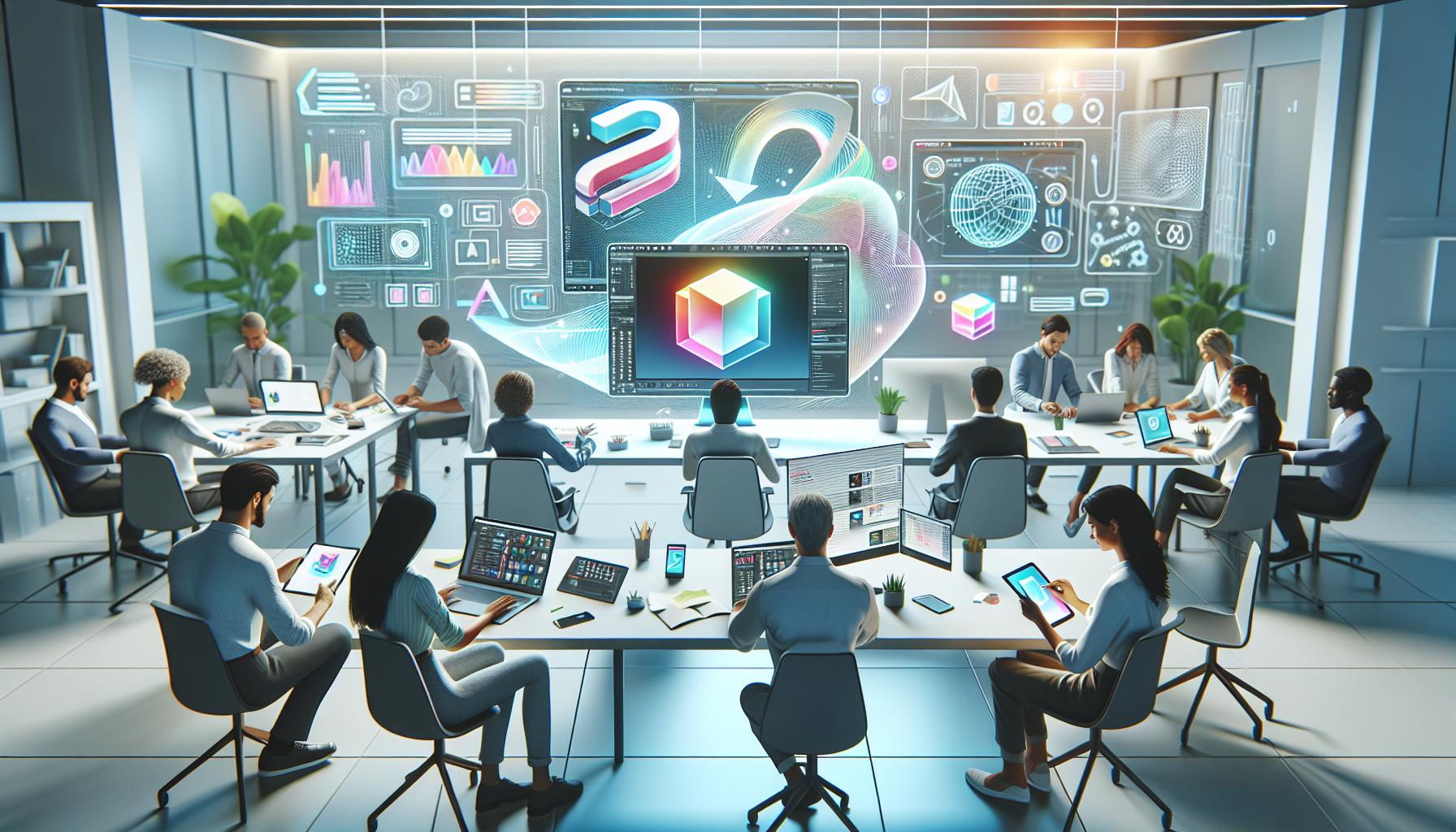
Choosing the Right Software for 3D Imaging
Finding the right software for creating 3D images can be an exciting yet daunting task, especially given the wide range of options available today. The ideal choice often hinges on your specific needs, skill level, and the complexity of the images you wish to create. Beginners may seek user-friendly interfaces that allow for easy learning, while more advanced users may require software with powerful tools for intricate designs and high-quality renders.
When selecting software, consider factors such as ease of use, feature set, system requirements, and cost. If you’re just starting out, you might find it beneficial to try free or trial versions of popular programs to get a feel for their functionality. Look for software that offers intuitive tutorials or community forums for additional support.
Some essential features to look for in 3D imaging software include:
- Modeling Tools: Ensure that the software provides robust modeling capabilities, allowing you to create and manipulate shapes easily.
- Rendering Options: Check if the program supports quality rendering techniques, which can help bring your 3D images to life with realistic textures and lighting.
- Export Formats: Choose software that allows you to export your creations in various file formats, suitable for different applications, whether for web use, printing, or further editing.
- Community and Support: Engage with tools that have a strong user base or community support where you can share experiences, ask questions, and learn from others.
For instance, SketchUp Free is known for its simplicity and accessibility, making it a great choice for beginners. On the other hand, tools like Autodesk Fusion 360 offer comprehensive design capabilities suitable for more advanced users. Exploring these options will empower you to find the software that best aligns with your creative vision, enabling you to produce stunning 3D images confidently.
Popular Free Software Options for 3D Pictures
Choosing the right software can be the key to unlocking your creativity in the realm of 3D imaging, particularly when you have outstanding free options at your disposal. Each software brings unique features, empowering users to explore their artistic visions without the burden of financial commitment. For newcomers and seasoned artists alike, these tools can serve as gateways to stunning 3D creations.
SketchUp Free
One of the most user-friendly options available is SketchUp Free. This browser-based platform provides an intuitive interface perfect for beginners. Users can easily create and manipulate 3D models, making it an excellent choice for quick projects or educational purposes. With a wealth of online resources and a strong community, users can find tutorials and tips to enhance their skills.
Spline
Another fantastic choice is Spline. Known for its real-time collaboration features, Spline allows multiple users to work on design projects simultaneously, making it particularly appealing for team projects or remote work. With easy navigation and powerful modeling and animation tools, it caters to those looking to create interactive web experiences.
Blender
While not mentioned in the search results, Blender is a free and open-source software worth noting. It offers a comprehensive suite of tools for 3D modeling, animation, simulation, rendering, compositing, and more. While it may have a steeper learning curve compared to the previously mentioned options, its robust features are invaluable for more complex projects.
Additional Free Tools
Other noteworthy mentions include tools like Tinkercad, which is perfect for beginners focused on 3D design for 3D printing, and FreeCAD for those interested in more technical modeling features. Each of these platforms provides unique capabilities that cater to various needs and skill levels.
In sum, whether you choose SketchUp Free for its simplicity, Spline for collaboration, or another robust tool, there’s no shortage of free 3D software available. These options not only help you get started but also foster a sense of community and support as you dive into the exciting world of 3D imaging.
Step-by-Step Guide to Creating 3D Images
Creating captivating 3D images is an exciting process that can unleash your creativity and potentially transform your ideas into stunning visuals. Whether you’re a beginner or someone with a bit of experience, following a clear step-by-step guide can streamline your workflow, ensuring that you create effective and impressive 3D art.
To get started, choose the right software from the many available free options, such as Tinkercad, SketchUp, or Spline. Once you’ve selected your tool, follow these simple steps:
1. Setting Up Your Workspace
Before diving into creation, familiarize yourself with the interface. Open your software and adjust your workspace settings to suit your preferences. Most 3D modeling programs allow you to customize the view, grid, and snapping settings to help achieve precision as you work.
2. Creating Basic Shapes
Begin by constructing your design using basic geometric shapes like cubes, spheres, and cylinders. Most programs have a library of shapes you can drag into the workspace. Start by arranging these simple shapes to form the rough outline of your desired object. Keep in mind that starting simple will help you refine the design progressively.
3. Modifying Shapes
Once you’ve established your base structure, you can modify these shapes to add more complexity. Use tools like scaling, rotating, and combining (union, difference) to enhance your model. For example, if working in Tinkercad, try grouping shapes to create a more intricate design.
4. Adding Details and Textures
Details matter in 3D design. Utilize features such as beveling edges or using sculpting tools to add finer details. After detailing your model, consider adding textures or colors to give your creation a lifelike appearance. Many tools offer a library of textures, or you can upload custom images.
5. Rendering Your 3D Image
When you’re satisfied with your model, it’s time to render it. This step transforms your 3D model into a 2D image that can be shared or printed. Ensure your lighting is set correctly, as good lighting can dramatically impact the final output.
6. Exporting and Sharing
Finally, export your creation in your desired format (common formats include .STL or .OBJ). You are now ready to share it on social media, upload to 3D printing services, or showcase it in online communities.
With practice and experimentation, creating 3D images becomes second nature. Don’t hesitate to reach out to online forums or communities for feedback and tips as you perfect your skills. Whether it’s for personal projects or professional endeavors, the world of 3D creation is at your fingertips!
Advanced Techniques for Stunning 3D Visuals
Creating visually stunning 3D images goes beyond the basics of shape creation and texturing; it involves mastering a set of techniques that can elevate your work to the next level. One advanced technique is utilizing lighting and shadows strategically. Understanding how light interacts with surfaces can dramatically enhance the realism of your models. Experiment with various light sources within your software to simulate different times of day or to create dramatic effects. Adjusting the intensity and position of light can create depth and dimension that draws the viewer’s eye.
Another powerful method is to incorporate 3D sculpting tools. Many free software options provide sculpting features that allow you to add intricate details to your models. This technique is particularly useful for organic shapes like characters or plants, where more realism can be achieved through fine details. Experiment with brushes and sculpting dynamics to create textures that mimic natural surfaces, such as rough stone or smooth skin.
Particle effects are also an exciting way to add life to your scenes. These can simulate elements such as smoke, fire, or even falling leaves, giving your 3D models a dynamic quality. Many free 3D applications have built-in particle systems that allow you to tweak parameters like size, velocity, and distribution. When applied thoughtfully, these effects can transform a static image into a vibrant living scene.
To further enhance your creations, consider using post-processing techniques. After rendering your 3D image, software like GIMP or even Blender’s compositor can be used to adjust colors, add filters, or overlay textures. These adjustments can help to unify the elements of your scene and create a polished final output. Adding subtle effects like vignette, bloom, or depth of field can elevate your artwork significantly, making it appear more professional.
By integrating these advanced techniques into your 3D modeling workflow, you can unlock new levels of creativity and visual appeal. Don’t hesitate to go beyond tutorials-experiment, make mistakes, and learn from them. The more you practice these methods, the more stunning your 3D visuals will become!
Troubleshooting Common 3D Picture Issues
Creating 3D images can be an incredibly rewarding experience, but it often comes with its fair share of hiccups. From rendering errors to issues with textures, understanding how to troubleshoot common problems will keep your creative flow uninterrupted. One prevalent issue is the problem of missing textures. This happens when the software refers to a texture file that has been moved or deleted. To resolve this, check your texture paths in the material settings of your software and ensure they point to the correct location. If necessary, re-link the textures or create a new material with the desired image.
Another frequent hurdle can be rendering errors, where your image doesn’t come out as expected, displaying artifacts or incomplete renders. This could be due to several reasons, such as insufficient light in the scene, overlapping geometry, or high polynomials in the mesh. To troubleshoot, first ensure your scene has adequate lighting. Experiment with different light placements and intensities. If artifacts persist, check your mesh for non-manifold edges or overlapping vertices, as these can confuse the rendering engine. Using tools that your modeling software provides-like the clean-up or merging features-can help rectify these mesh issues.
Performance glitches are also common, particularly when working with complex models or high-resolution textures. If your software starts to lag or crash, it may be due to your computer’s hardware limitations. Consider simplifying your models by reducing poly count or hiding unnecessary components while working on specific parts. You might also want to close other applications to free up memory and processing power. If you continue to experience sluggish performance, looking into upgrading your RAM or GPU could yield significant improvements in rendering speed and overall usability.
To successfully resolve these issues, maintaining an organized workflow is crucial. Label your texture files clearly, save backups of your work frequently, and regularly optimize your models to ensure they remain manageable. Engaging in online forums or communities can also provide you a wealth of knowledge and troubleshooting support from fellow 3D artists. Embrace these challenges as an integral part of refining your skills, and remember that every problem offers a new learning opportunity that can elevate your 3D artistry to the next level.
Tips for Enhancing Your 3D Images
Creating striking 3D images requires not just the right software, but also an understanding of techniques that can elevate your designs. A key element in enhancing your 3D visuals is the effective use of lighting. Proper lighting can dramatically change the look and feel of your scene, adding depth and realism. Experiment with different light sources, positions, and colors. For instance, using multiple lights can create interesting shadows and highlights that make your objects appear more three-dimensional. Consider using a three-point lighting setup, which includes a key light, fill light, and back light, to ensure your image is well illuminated from all angles.
Texture is another crucial component to explore. Applying high-quality textures can bring your 3D models to life, but remember to ensure they are appropriate and well-applied. Use bump maps to add detail to surfaces without increasing your model’s polygon count. This technique can make surfaces appear more complex when viewed up close while keeping render times manageable. You can find numerous free textures online to help you get started; websites like Texture Haven or Poliigon offer a variety of free options ideal for different projects.
Animation is not just for movies; incorporating subtle animations in your 3D images can greatly enhance engagement. Even a simple rotation of the object or slight movements can create a dynamic scene and draw viewers in. Tools like Spline allow you to map out animations easily within your browser, giving you a chance to experiment with real-time collaboration and changes.
Lastly, remember to seek feedback from peers or utilize online communities. Platforms such as Sketchfab offer spaces for sharing your work and receiving constructive criticism from other 3D artists. Engaging with these communities not only provides inspiration but can also give you insights into techniques and practices that you might not be aware of yet. By continually iterating on your designs and remaining open to suggestions, your 3D imaging skills will grow, and your final products will shine brighter than ever.
Inspiring Examples of Creative 3D Artwork
Discovering can serve as a profound motivator for both seasoned artists and beginners venturing into the thrilling world of three-dimensional design. Artists utilize various techniques to evoke emotions, tell stories, and communicate ideas through their work. For instance, highly realistic renderings of natural landscapes, as seen in the work of artists like Quinten W. S. Bonnet, showcase how light interacts with surfaces in nature, offering viewers a glimpse of clouds reflecting the sun’s rays or water capturing the vibrant hues of a sunset. These intricate details not only demonstrate technical skill but also enhance the viewer’s immersion in the visual experience.
Another captivating example comes from the realm of character design, where artists create fantastical creatures and figures that leap off the screen, bringing video games and animations to life. ArtStation features numerous portfolios from talented creators like David Serrano, whose work often showcases dynamic poses and elaborate textures that give life and personality to every character. For aspiring artists, such portfolios are more than just eye candy; they provide insight into the nuances of character rigging, texturing, and the impact of color schemes on storytelling.
Moreover, the realm of abstract 3D artwork offers intriguing possibilities for expression. Artists such as Marek Denko push the boundaries of imagination, using vibrant colors and unusual shapes to create artwork that invites viewers to explore their interpretations of form and motion. Engaging with such unconventional pieces encourages budding designers to break free from traditional molds and experiment with their styles, embracing the freedom that 3D modeling offers.
By immersing yourself in these varied examples, you not only ignite your creativity but also gain practical lessons through observation. Consider analyzing aspects such as composition, use of color, and lighting techniques in these artworks to inform your creations. Joining online platforms like Sketchfab can further connect you with a community of creators where you can share your work, get feedback, and draw inspiration from others’ projects. This collaborative environment fosters continuous learning and encourages you to push your creative boundaries, making your 3D journey not just a solo endeavor but a shared adventure.
Sharing and Printing Your 3D Creations
Creating stunning 3D images is only the beginning of your artistic journey; sharing and printing your creations can elevate your work and connect you with a wider audience. Whether you’re showcasing your designs online or turning them into tangible pieces of art, the right approach can make all the difference.
First, consider your sharing platforms. Websites like Sketchfab offer a community for 3D artists where you can upload and share your creations easily. It provides high-quality rendering options, allowing your work to be viewed in an interactive 3D format. Additionally, platforms such as ArtStation and Behance serve as excellent portfolios for your 3D art, providing a more extensive audience and networking opportunities with other professionals. Don’t forget about social media; Instagram and Twitter can be powerful tools to share your journey, process, and completed works with hashtags relevant to your niche to reach viewers who are genuinely interested in 3D art.
Printing your digital creations opens up a world of possibilities. With 3D printing technology becoming more accessible, turning your 3D designs into physical objects is easier than ever. Select a reliable 3D printing service like Shapeways or Sculpteo, where you can upload your models directly. Before printing, it’s essential to ensure your model is optimized: check for non-manifold edges, scale to the correct size, and select the right material that will best showcase your design, whether it’s plastic, resin, or metal. Each material has different qualities, such as strength, flexibility, and surface finish, so choose based on the desired outcome of your piece.
For those keen on doing it themselves, investing in a personal 3D printer can be rewarding. Make sure to research compatible printers, as well as the filament types available. Starter printers such as the Creality Ender series are popular for their affordability and user-friendliness. Additionally, familiarizing yourself with essential slicing software like Cura will help you prepare your model for printing, ensuring it adheres to the necessary specifications for quality.
In summary, not only enhances your personal experience but also connects you with the community and brings your art into the physical realm. With dedication and the right tools, your 3D designs can inspire others and showcase your creative voice in the expanding world of 3D art.
Exploring Online Communities for 3D Artists
Connecting with fellow creators can supercharge your 3D artistry and open doors to new insights and techniques. Online communities are vibrant ecosystems where 3D artists from all over the world share their work, collaborate, and gain inspiration. Whether you’re a beginner or an experienced artist, the camaraderie found in these spaces can offer the support and motivation needed to refine your craft.
Fostering Collaboration and Learning
Joining an online community allows you to tap into a wealth of knowledge. Platforms like Reddit, especially subreddits such as r/3Dmodeling or r/blender, are great places to ask questions, share your projects, and receive constructive feedback. These communities foster a culture of collaboration, where members eagerly share resources, tutorials, and tips that can help you troubleshoot any issues with your software or enhance your 3D modeling skills. Additionally, participating in challenges or contests can stretch your creative muscles and push you to explore new techniques or styles.
Showcasing Your Work
Websites like ArtStation and Behance provide an excellent stage to showcase your 3D creations. These platforms allow you to create a professional portfolio that not only displays your work but also connects you with potential clients and collaborators. Engaging with other artists by commenting on their posts or sending messages can lead to fruitful relationships and even mentorship opportunities. Don’t hesitate to network or ask for critiques-most members appreciate the engagement and are happy to share their insights!
Exploring Niche Specific Forums
There are also various niche-specific forums and Discord servers dedicated to particular software or techniques. For example, the Blender Artists Community is a hub for users of Blender software, offering a place to share tips, receive help, and participate in discussions centered on animation, modeling, and rendering. Similarly, platforms like Sketchfab allow artists to both display their work in an interactive format and engage with other users, making it easier to get instant feedback on your designs.
Participating in Learning and Sharing
Beyond just showcasing work, many communities set up tutorial challenges or weekly themes. Participating in these initiatives can inspire you creatively and help sharpen your technical skills. Whether you’re experimenting with a new piece of software or trying out a different style, these events are perfect for motivation and exploration.
Finding your place in the world of 3D art can begin with a simple click to join an online community. Engage actively, share your experiences, and don’t shy away from asking for help. The supportive environment of these platforms can be the key to unlocking your full artistic potential and making meaningful connections that enrich your creative journey.
Future Trends in 3D Imaging Technology
Innovation in 3D imaging technology is dynamically reshaping how we create, visualize, and interact with digital content. As software capabilities evolve and hardware advances, exciting trends are emerging that promise to enhance the accessibility and quality of 3D art and design. One of the most significant developments is the integration of artificial intelligence (AI) into 3D modeling and rendering software. AI tools can help automate complex processes, allowing artists to focus on creativity rather than tedious technical details. For example, AI-driven features can suggest design improvements or automatically generate textures and models based on minimal user input, democratizing the 3D creation process for beginners and professionals alike.
Moreover, the rise of virtual reality (VR) and augmented reality (AR) is creating new avenues for how 3D images are experienced. These technologies enable artists to place their work in immersive environments or overlay digital elements onto the real world. This trend encourages more interactive experiences, where users can manipulate or walk around their 3D creations in ways that were previously impossible. For instance, platforms like Oculus and Microsoft’s HoloLens are paving the way for artists to showcase their work in virtual galleries, reaching wider audiences and engaging them in profound new ways.
Additionally, the proliferation of cloud computing is allowing for greater collaboration among 3D artists around the globe. Cloud-based applications can host complex 3D projects, making them accessible from anywhere without the need for high-end hardware. This flexibility fosters teamwork and innovation, as designers can easily share their work and provide instant feedback. Software solutions such as Blender and Tinkercad are stepping up to utilize these advantages, offering collaborative features that bring users together, regardless of their physical locations.
In conclusion, the future of 3D imaging technology is bright and full of potential. As these developments unfold, staying informed and adapting to new tools and platforms will be key for artists looking to leverage the latest trends. By embracing AI, VR/AR, and cloud-based technologies, you can significantly enhance your 3D artistry, making it more engaging and accessible than ever before. Whether you are just starting or seeking to elevate your existing skills, now is a fantastic time to explore the endless possibilities in 3D imaging.
Frequently asked questions
Q: What are the key steps to creating 3D images on a computer using free software?
A: To create 3D images using free software, start by selecting suitable software like Blender or GIMP. Next, import or create your 2D image, apply depth effects, and adjust the settings to convert it into 3D. Finally, render the image and save it in your desired format. For detailed instructions, refer to the “Step-by-Step Guide to Creating 3D Images” section.
Q: How can I enhance my 3D images for better quality?
A: Enhance your 3D images by adjusting light sources, adding textures, and refining color settings. Utilize filters and post-processing tools available in software like GIMP. Explore the “Tips for Enhancing Your 3D Images” section for specific techniques to boost image quality.
Q: What common issues might I face when creating 3D pictures and how can I troubleshoot them?
A: Common issues include blurriness, incorrect dimensions, or unwanted artifacts in your images. To troubleshoot, check the image resolution, revisit your software settings, and ensure proper lighting. Detailed troubleshooting steps can be found in the “Troubleshooting Common 3D Picture Issues” section.
Q: Why are online communities important for 3D artists?
A: Online communities provide essential support, feedback, and inspiration for 3D artists. Engaging with these groups can help you learn new techniques, receive critiques, and connect with other creators. Check the “Exploring Online Communities for 3D Artists” section for resource recommendations.
Q: What free software options are best for beginners creating 3D images?
A: Beginners can start with easy-to-use software like Tinkercad for basic designs or SketchUp for intuitive modeling. These tools offer user-friendly interfaces and sufficient resources for learning 3D imaging. You can find more recommendations in the “Popular Free Software Options for 3D Pictures” section.
Q: When is it best to share your 3D creations online?
A: Share your 3D creations once you have refined them, ideally after receiving feedback from peers. Engaging during events such as contests or community showcases can also increase visibility. Explore the “Sharing and Printing Your 3D Creations” section for detailed sharing strategies.
Q: What future trends should I be aware of in 3D imaging technology?
A: Key trends include advancements in augmented reality (AR), virtual reality (VR) integration, and AI-assisted modeling tools. Staying updated on these trends can enhance your skills and keep you competitive. Learn more about these trends in the “Future Trends in 3D Imaging Technology” section.
Future Outlook
Now that you have the tools and knowledge to create stunning 3D pictures using free software, it’s time to put your creativity to the test! Explore our detailed guides on the best free 3D modeling software available, which not only enhance your skills but also inspire your next project. Don’t hesitate to dive into the resources linked below to expand your understanding even further, such as how to optimize your designs with reliable CAD tools.
Feeling stuck? Join our community by leaving a comment or sharing your thoughts, and let us help you troubleshoot any challenges. Ensure you subscribe to our newsletter for more tips, tricks, and expert insights that will elevate your 3D design journey. Remember, the world of 3D modeling is at your fingertips-start creating today, and unlock the full potential of your imagination!


